Passerelle
An SSH terminal, a file browser and a command library. In one app, on Mac and iPad.
One purchase — both platforms included
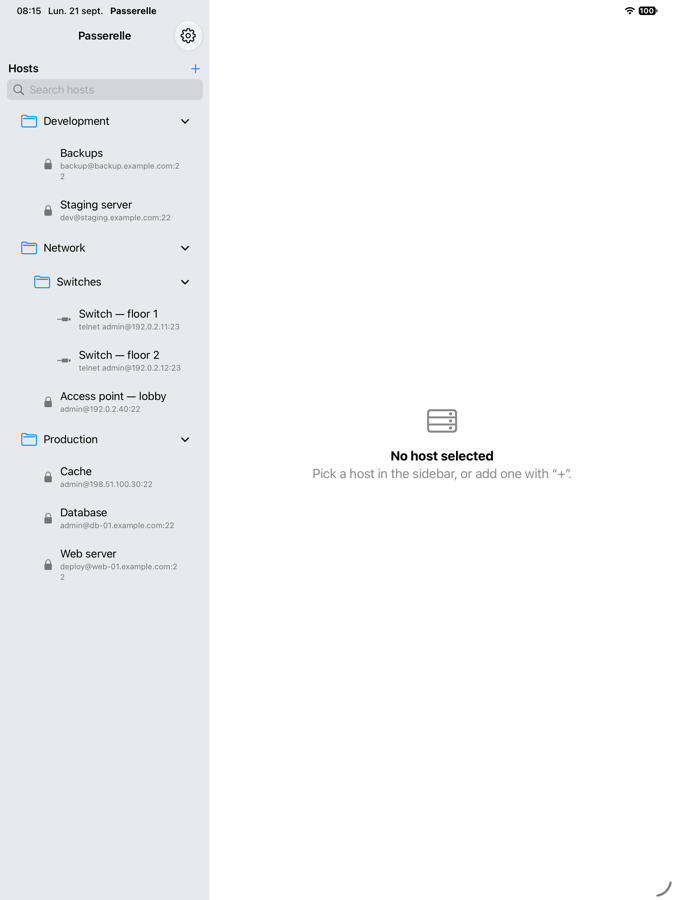
Passerelle brings together what used to take three separate tools. It is built for people who administer a few dozen machines — Linux servers, VPSs, network switches — and are tired of retyping the same addresses and the same commands.
What the app does
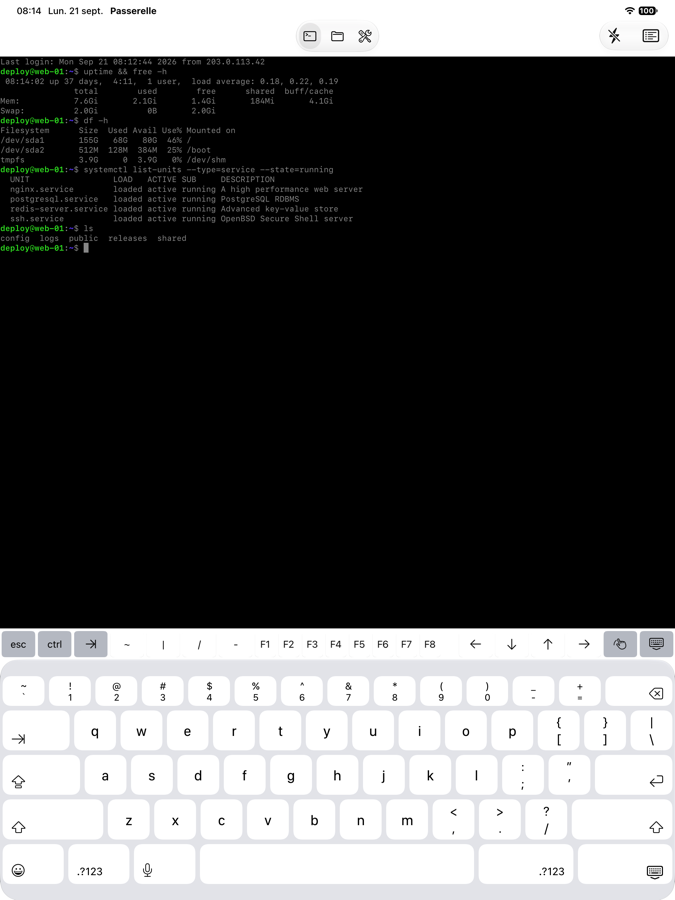
A real terminal
Interactive, xterm-256color — not just a command runner. Sessions survive tab changes.
File transfer
Two-pane SFTP browser: the server and your device side by side, with a queue and progress.
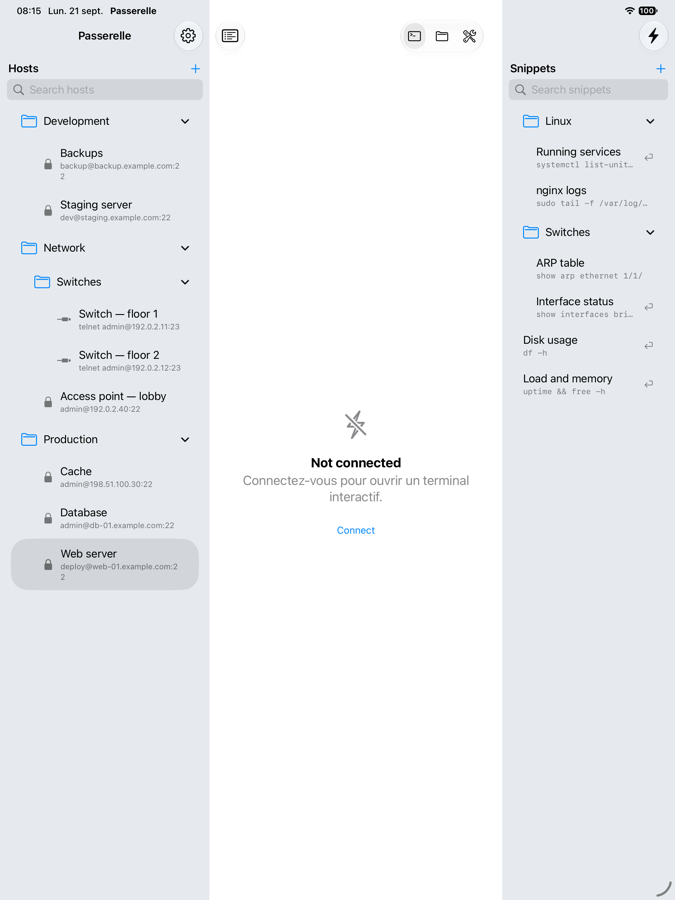
Snippets
Your recurring command lines, filed in folders, inserted into the active terminal with one tap.
Telnet
For switches and older equipment that offer nothing else. Login prompts answered automatically.
Network tools
Ping and TCP port test, without leaving the app.
SSH keys
Imported into the system Keychain, usable on all your devices.
Your host list follows you — and we cannot read it
Hosts, snippets, commands and passwords appear on all your devices. Everything is encrypted on the device before it is sent, with a key derived from a passphrase the server does not know.
In other words: we host data we are technically unable to decrypt. The trade-off is plain — a lost passphrase makes synced data unrecoverable.
Syncing is optional. Without an account, nothing leaves your device.
One purchase
Buy once, use on Mac and iPad. No subscription, no ads, no tracking, no analytics.
Languages
French and English. The interface follows your device language, or the one you pick in settings.